Select Map Dialog
When no map object is selected in the plot window or Contents window and you click any layer command in the Home | Create Layer section of the ribbon, the Select Map dialog box opens.
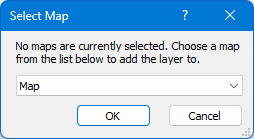
The Select Map dialog allows you to choose whether to create a new map or add a layer to an existing map.
Destination Options
Use the dropdown list to choose where to add the new layer:
-
New Map: Creates a brand-new, standalone map object containing the selected layer type.
-
[Existing Map Name]: Selects an existing map object from the document. The new layer will be added directly as a layer within the chosen map object.
Click OK to proceed with layer creation, or click Cancel to close the dialog without making changes.
See Also
Select Map Type